Brightcove

A Filter Pattern

Empowering customers to find the content they need, when they need it, and unlocking new workflows

  • Design System
  • SaaS
  • B2B
  • 100% task completion in testing
  • Intuitive pattern for finding video

Overview

Brightcove offers video streaming and video management services to thousands of customers. For this project, I uncovered shortcomings in the platform's ability to empower customers to filter and find videos.

User Problems

While interviewing customers and stakeholders, I identified many use cases where customers needed to segment their catalog and look at smaller video groups to perform tasks. Brightcove had APIs and an advanced search option to address these needs, but our analytics showed that customers were not using it frequently.

Interviews & Jobs to Be Done

I interviewed 10+ customers across two products (Media Studio and Beacon Studio) in our Design Partner Program to better understand how and when they need to find videos in their catalog. What I learned is that the use cases are extremely broad. Our tool needed to be flexible. I discovered that our APIs could cover most of the jobs to be done, but the API authors had clearly not considered some use cases. For example, there were many jobs where the user needed to check for empty/nil fields. Show me all of the videos that don't have captions.

The Old Solution (Advanced Search)

Opportunities for Improvement

Visibility of System Status

  • Advanced search details are hidden in the closed modal and an unintuitive search string syntax is shown in the search box.

Recognition Rather than Recall

  • Users must open a modal to recall all of the advanced search options, even the most commonly used.
  • The "More Search Options" link doesn't stand out and is too easy to overlook and forget about. It's not as discoverable as it should be.

Functionality

  • Limited ways to filter content

Design Iteration & Testing

Through testing, I proved that media producers are more likely to use advanced search functionality when reframed as filters and made more prominent.

Process Highlights

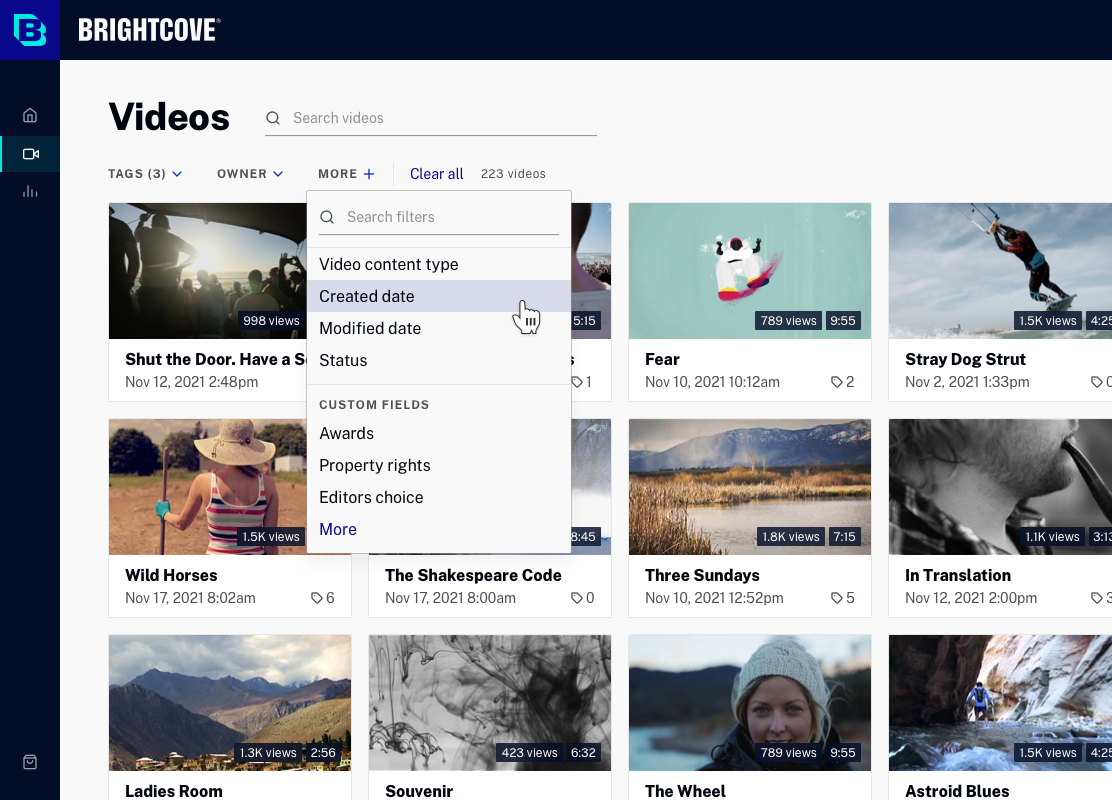
An early design for filters in the Media module

Design Prototype

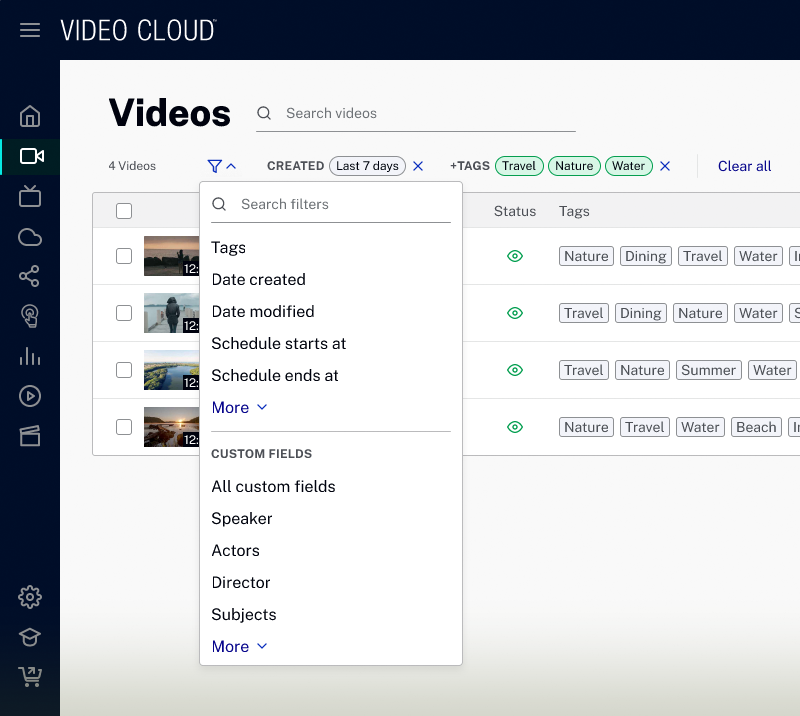
The filter UI allows you to combine filters however you like in order to focus your view of the catalog.

Design System Integration

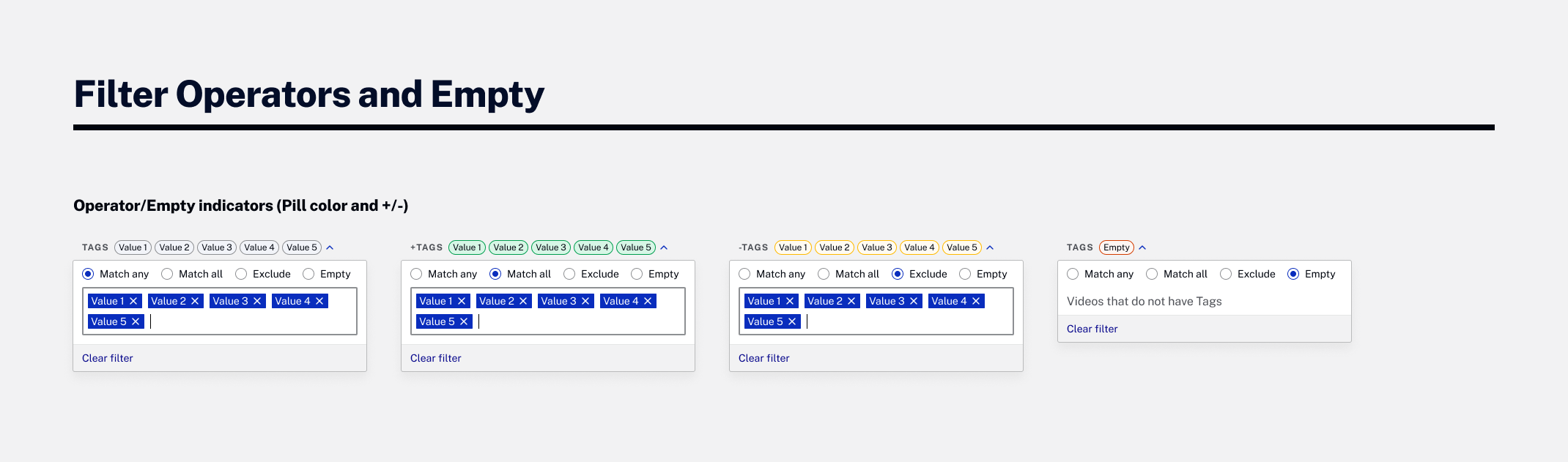
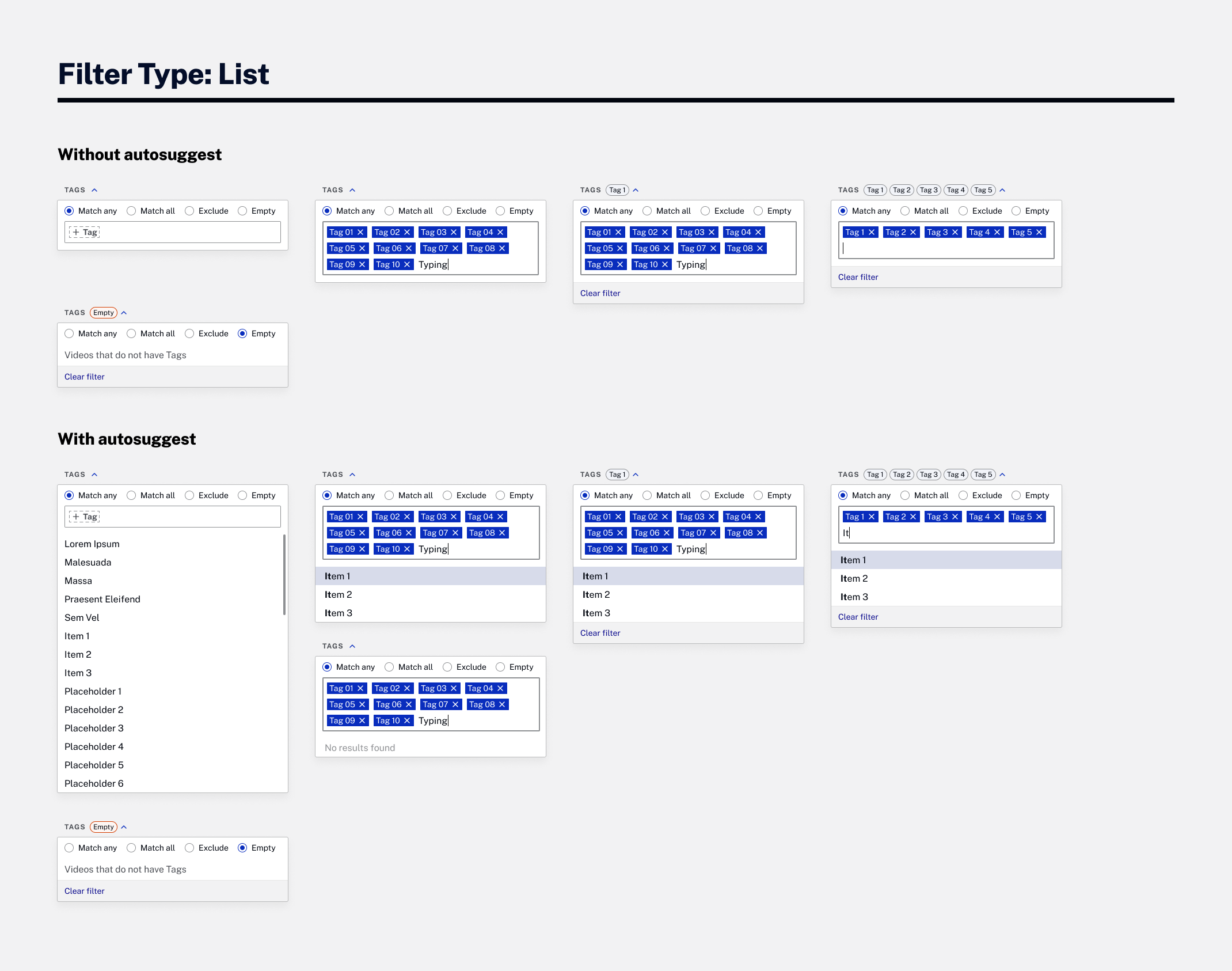
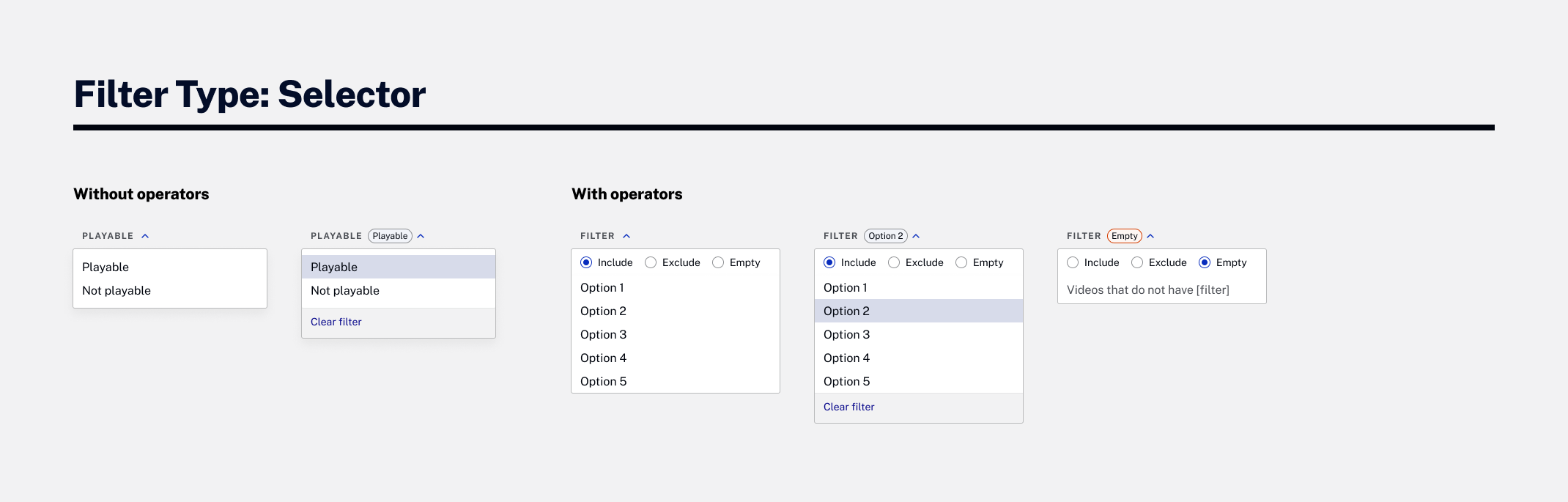
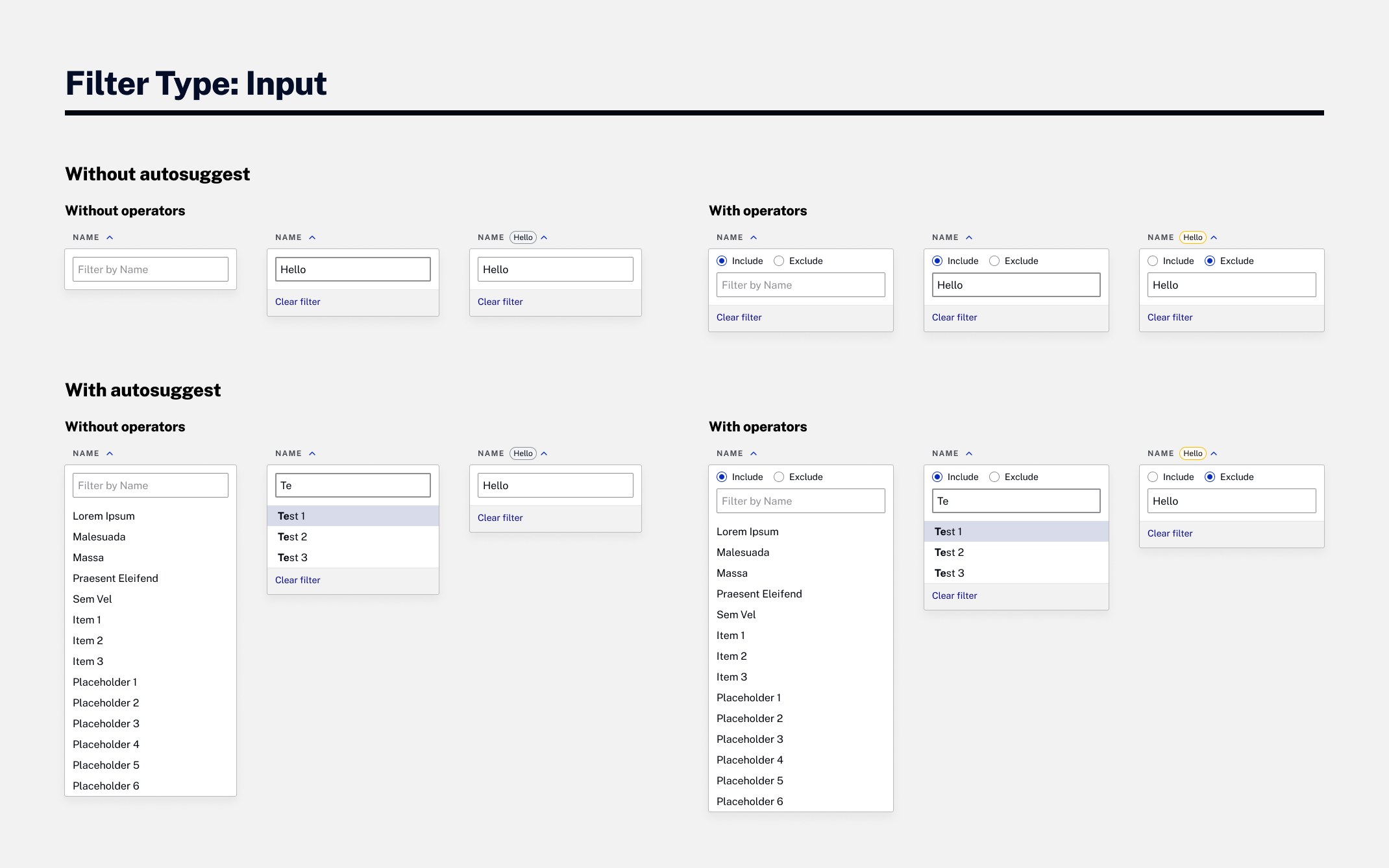
Once I had a well-tested pattern, I broke down the design into smaller pieces and documented everything. I collaborated with the design system team to develop all necessary stories in the backlog, ensuring that designers and developers could apply these filters in use cases beyond the media module.

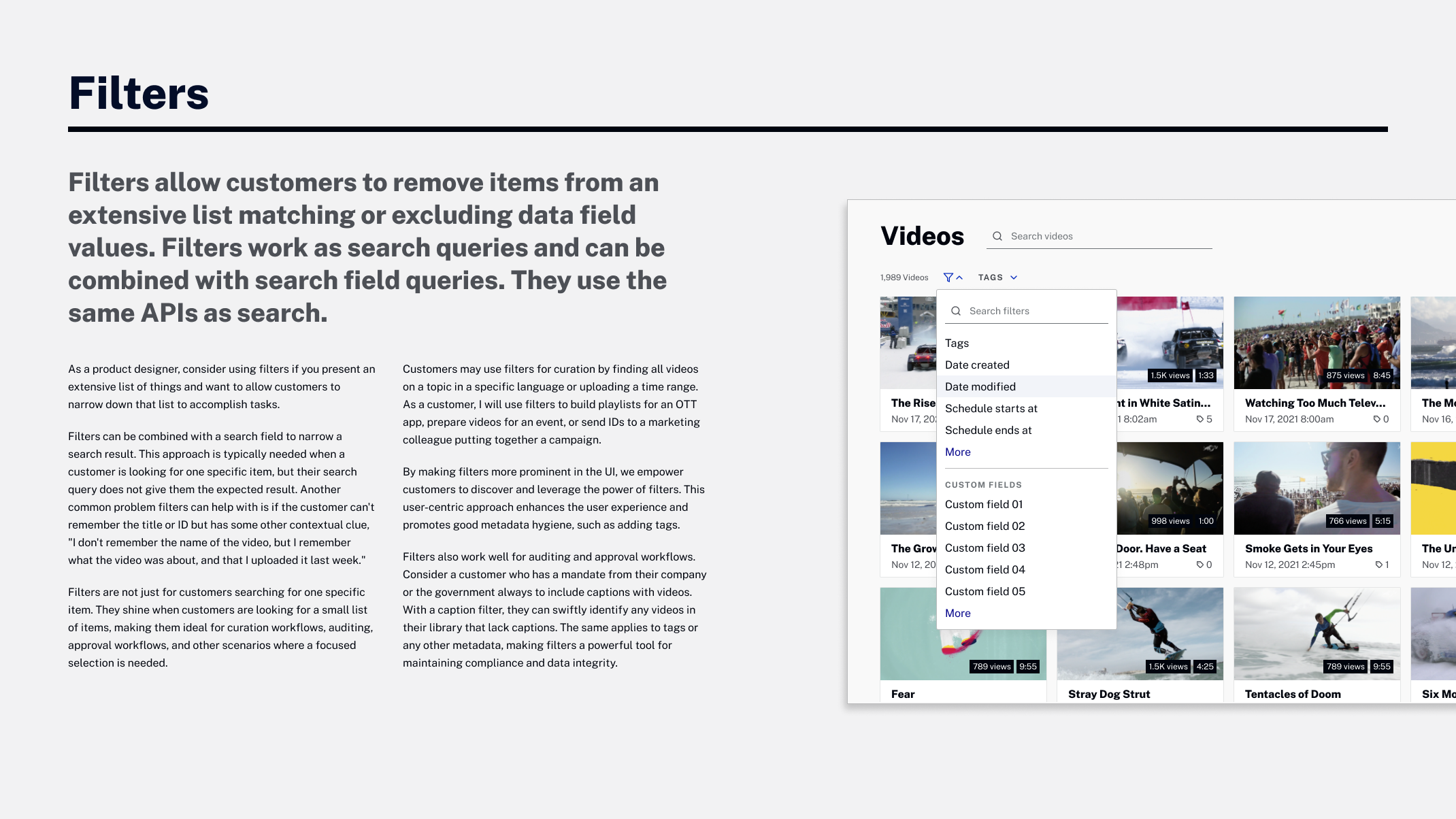
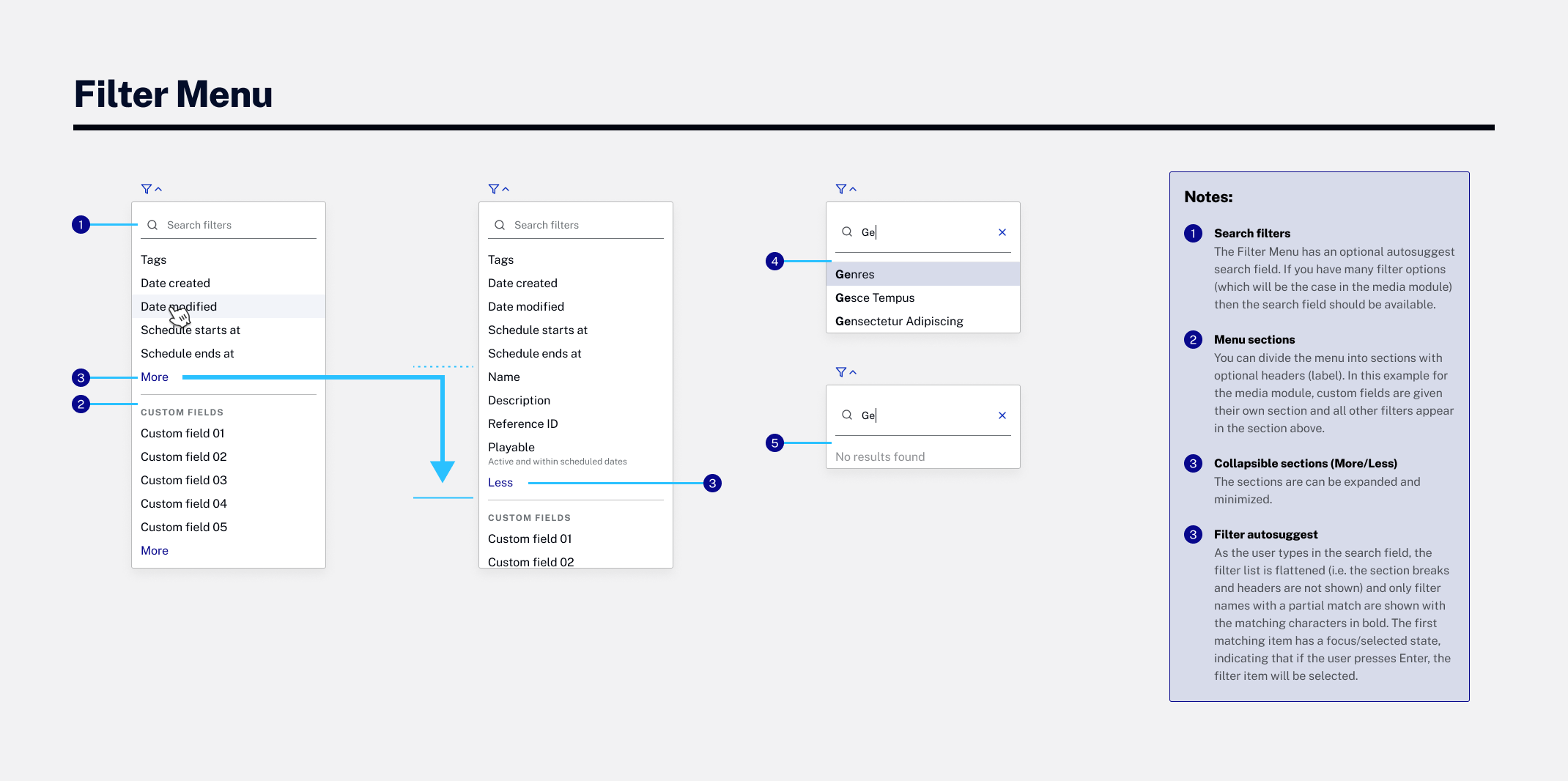
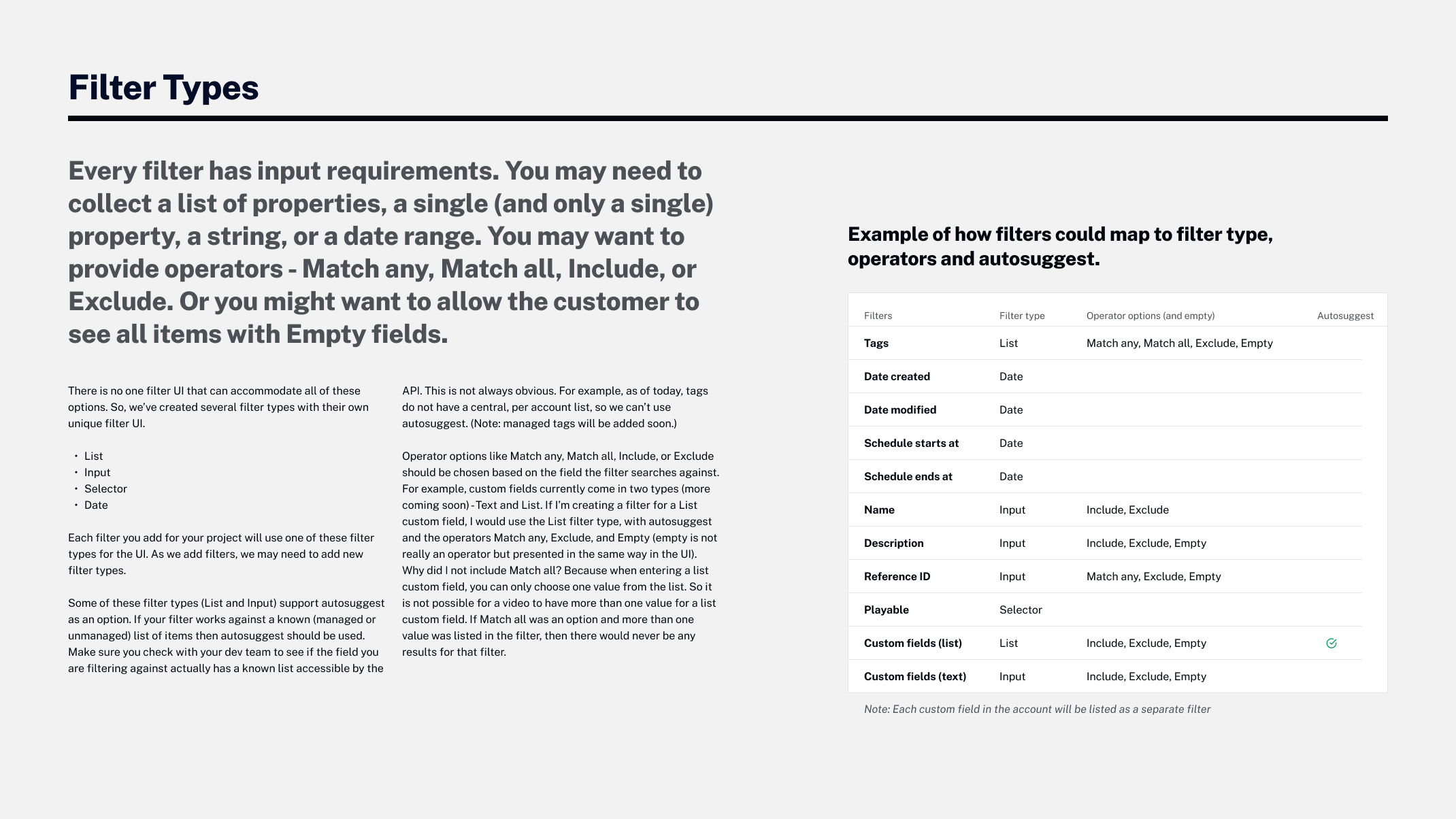
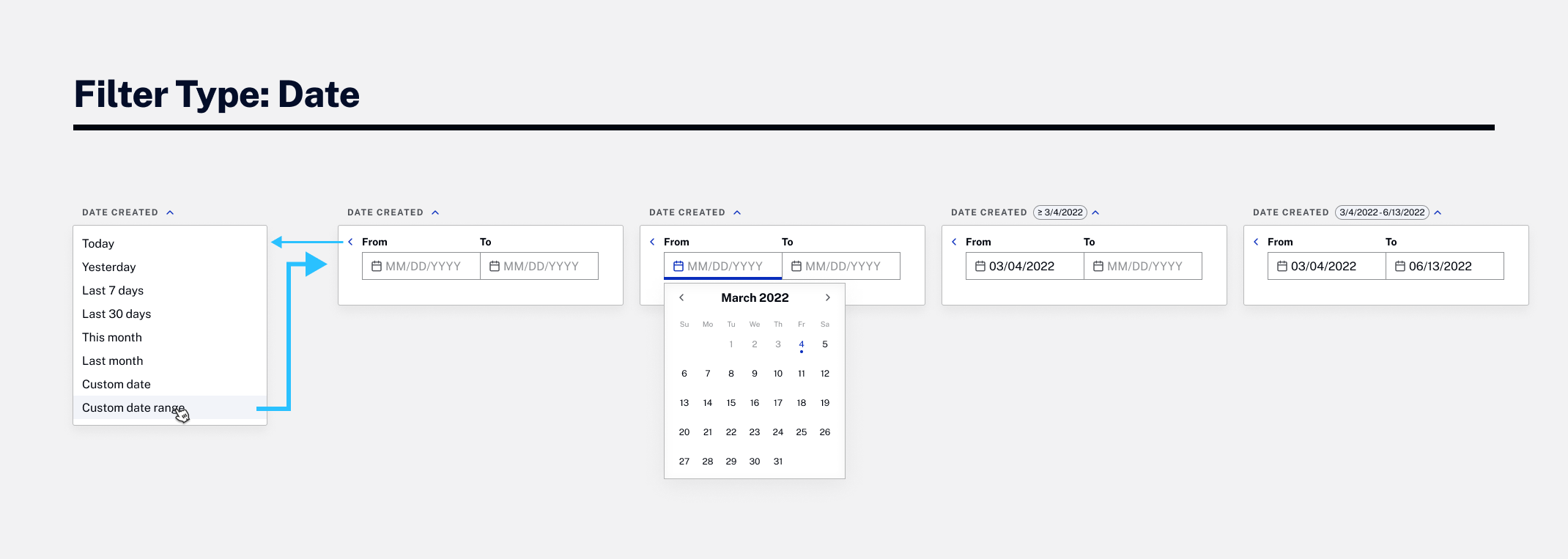
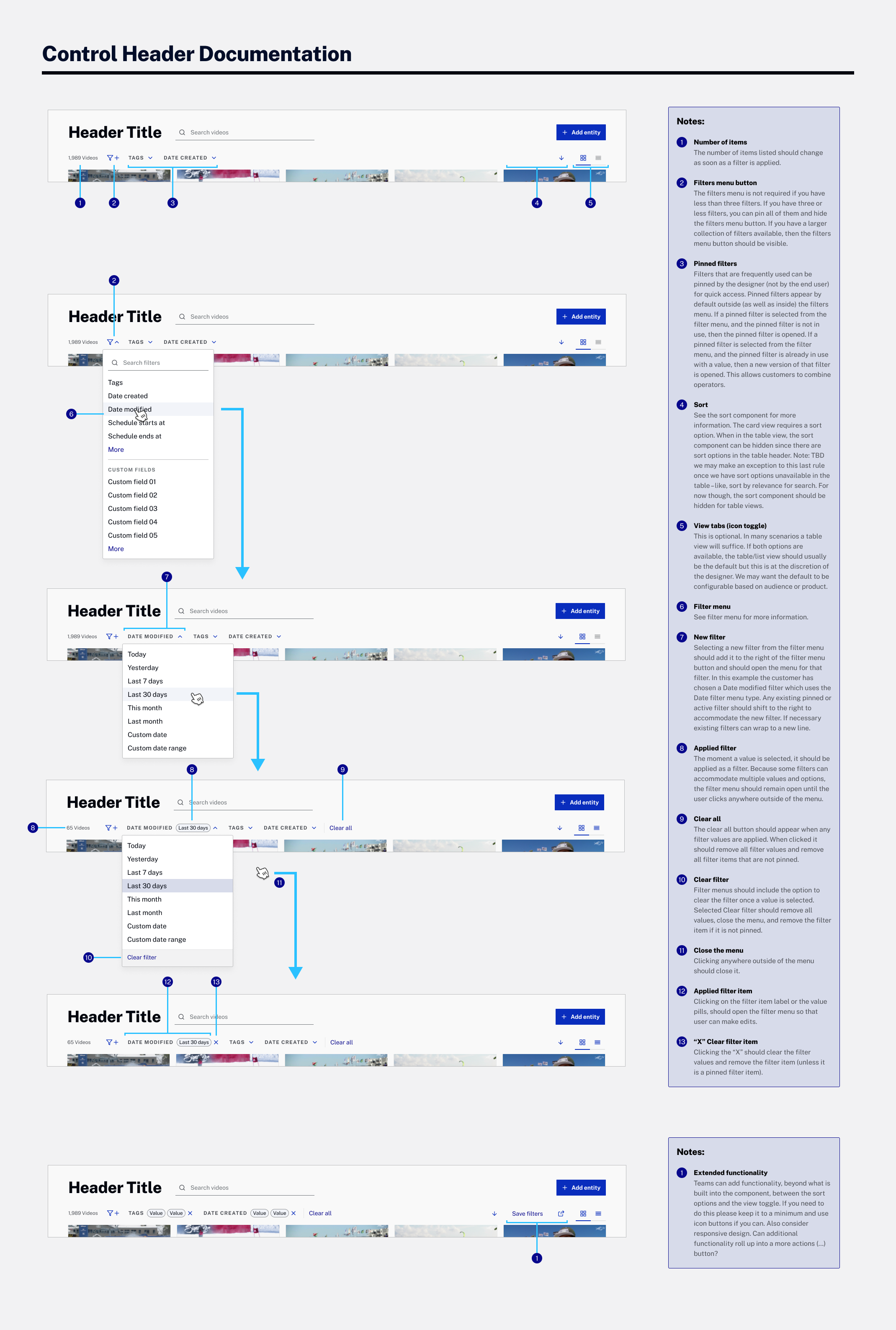
Filters overview in the Design System Filter menu documentation Filter types documentation Filter operators and empy Filter type: List Filter type: Selector Filter type: Input Filter type: Date Control header documentation

Team Alignment

  • Worked with the Product Manager throughout
  • Presented work multiple times in design critiques and in product/engineering reviews to gather feedback
  • Met with designers one-on-one to gather and align requirements for future projects that would need filters
  • Wrote Jira tickets and provided design specs
  • Worked with Design System team to get it on the backlog so that it would be ready for the product timeline
  • Participated in engineering team planning, grooming and refinement
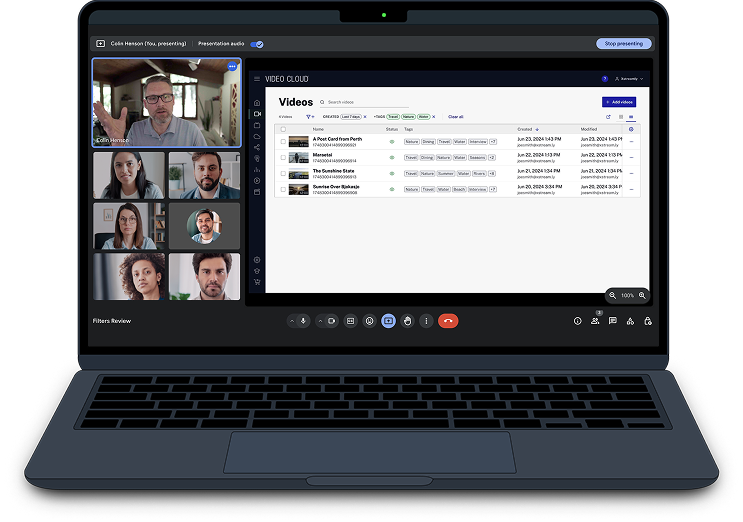
Video conference

Outcomes

  • 100% task completion in testing
  • Intuitive pattern for finding video
Filters